For stairs measurement please download the special targets and two start boards using the links in the Settings view of the app (one level back). Print the sheets and the targets on cardboard or glue them onto cardboard such that the targets are flat and not moving.
Click "Compute" in the 3D view. A few seconds later you should see the results. You can export them from the settings menu at the bottom right.
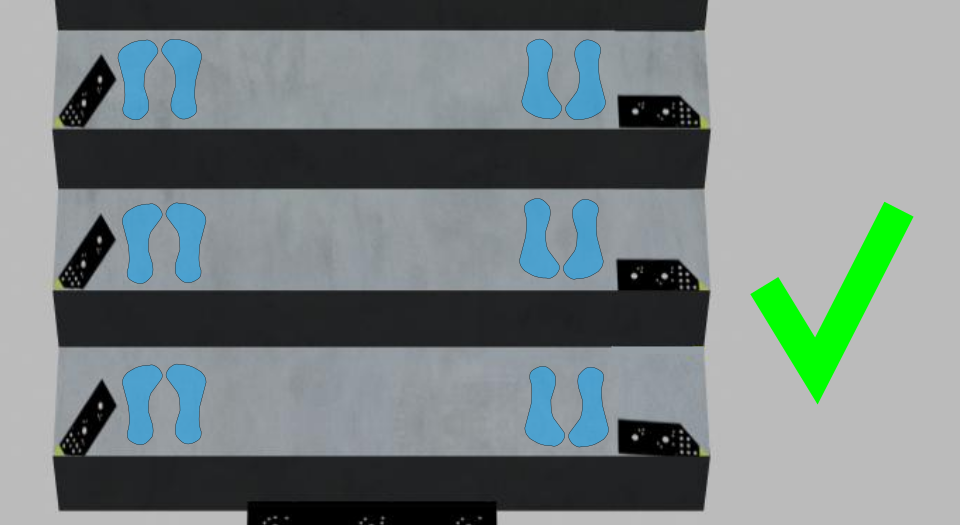 Do not step on the markers | 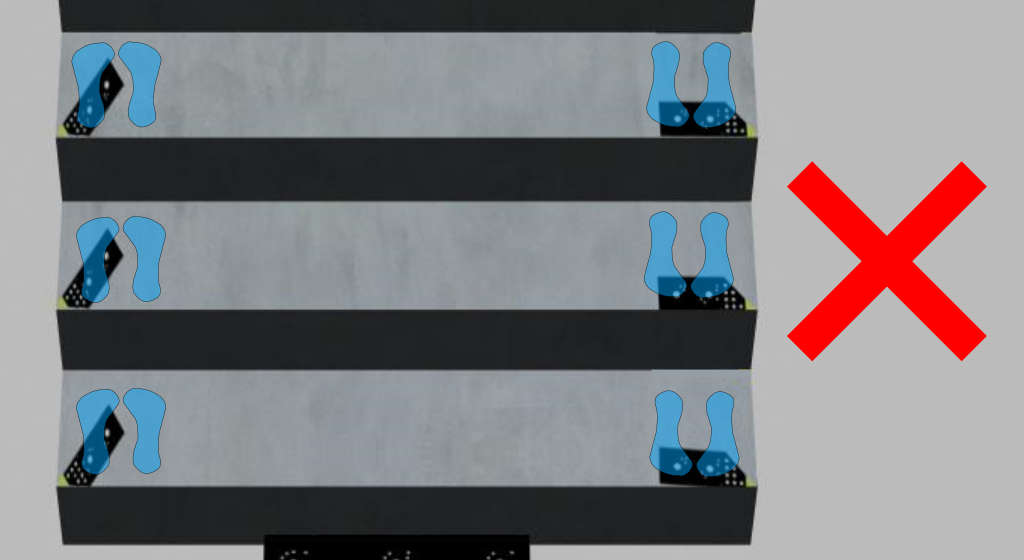 Wrong: Don't touch or move markers while taking pictures |
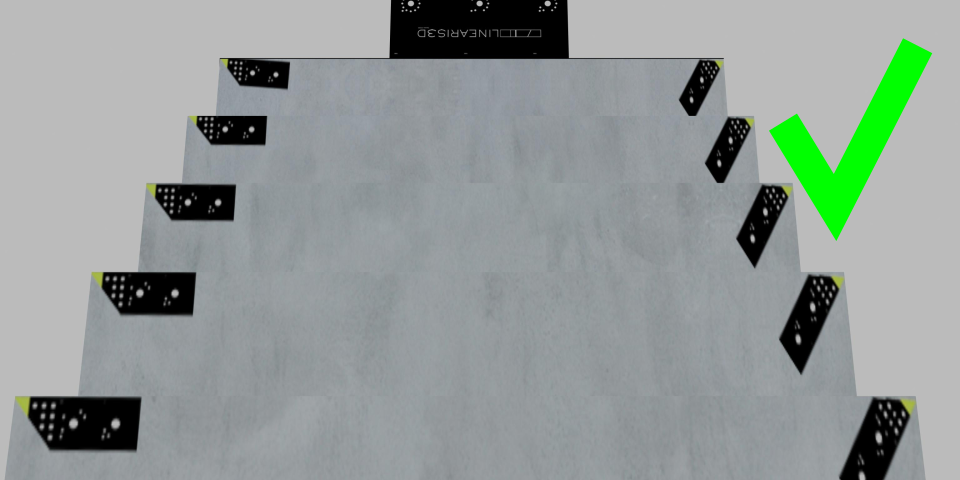 The markers should be clearly visible and, e.g., not be covered by other steps | 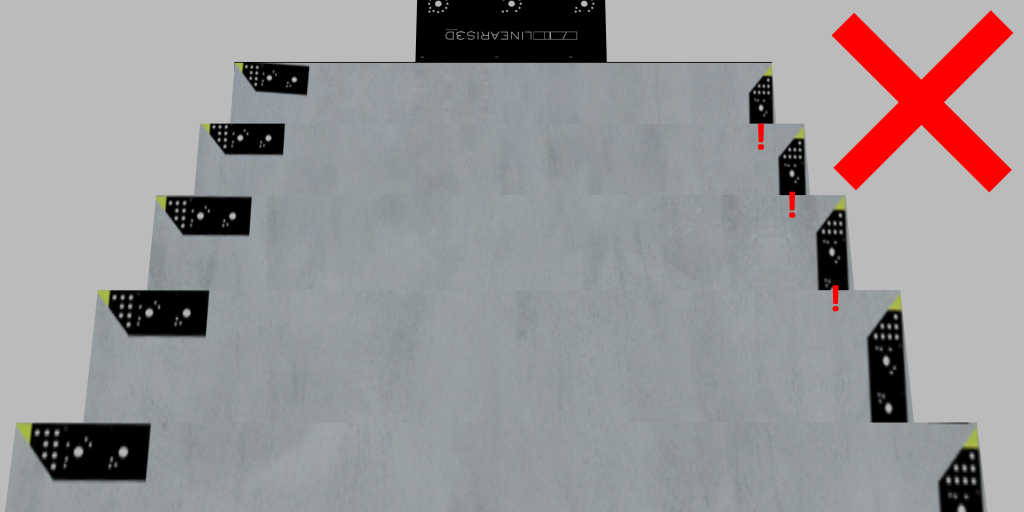 Wrong: markers not visible on the right side |
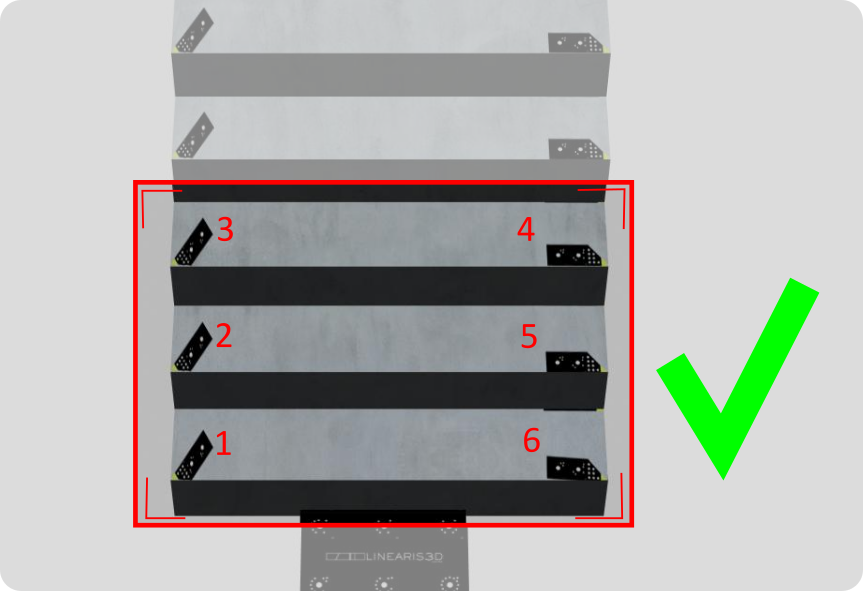 At least six markers per picture and two per step | 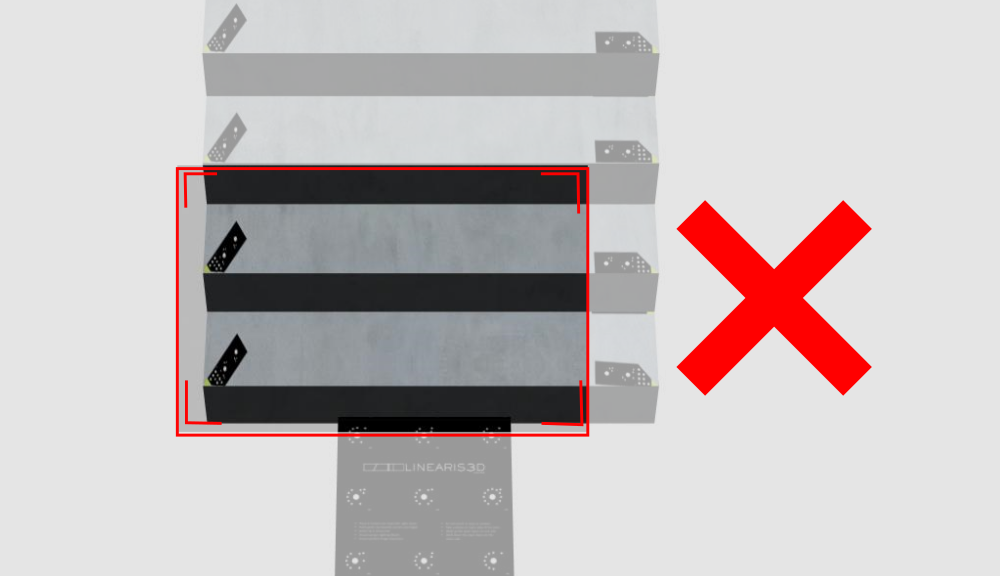 Wrong: Only one side of a step is visible |
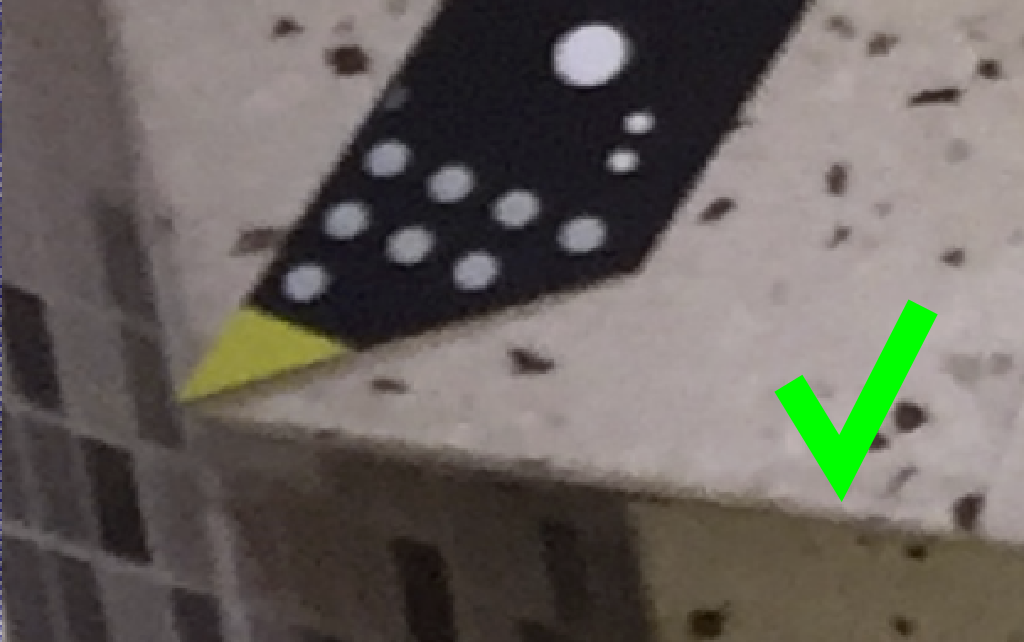 Sharp pictures are absolutely necessary | 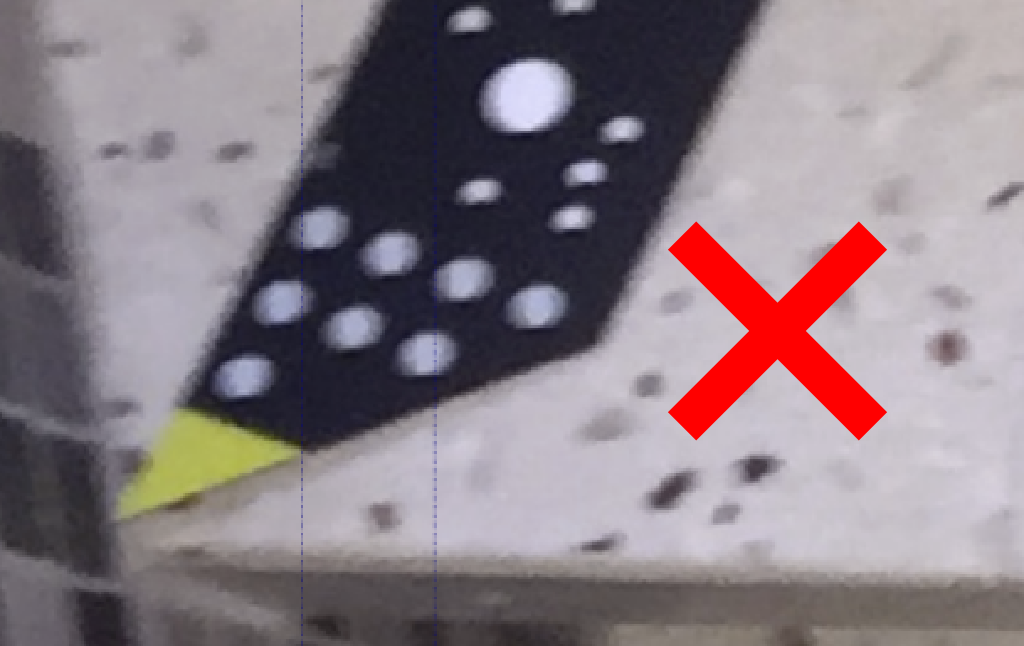 Wrong: blurred picture |
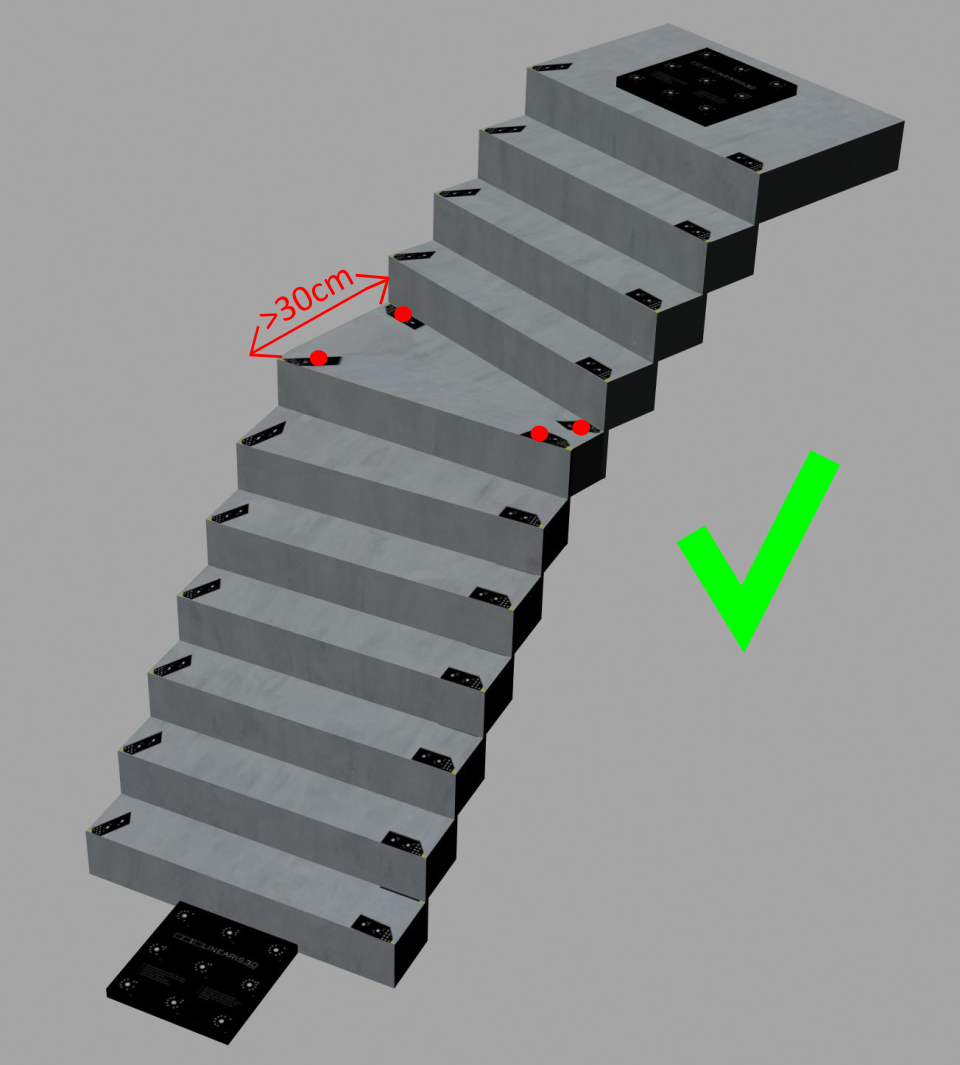 For steps wider than 30cm, 4 markers should be used per step | 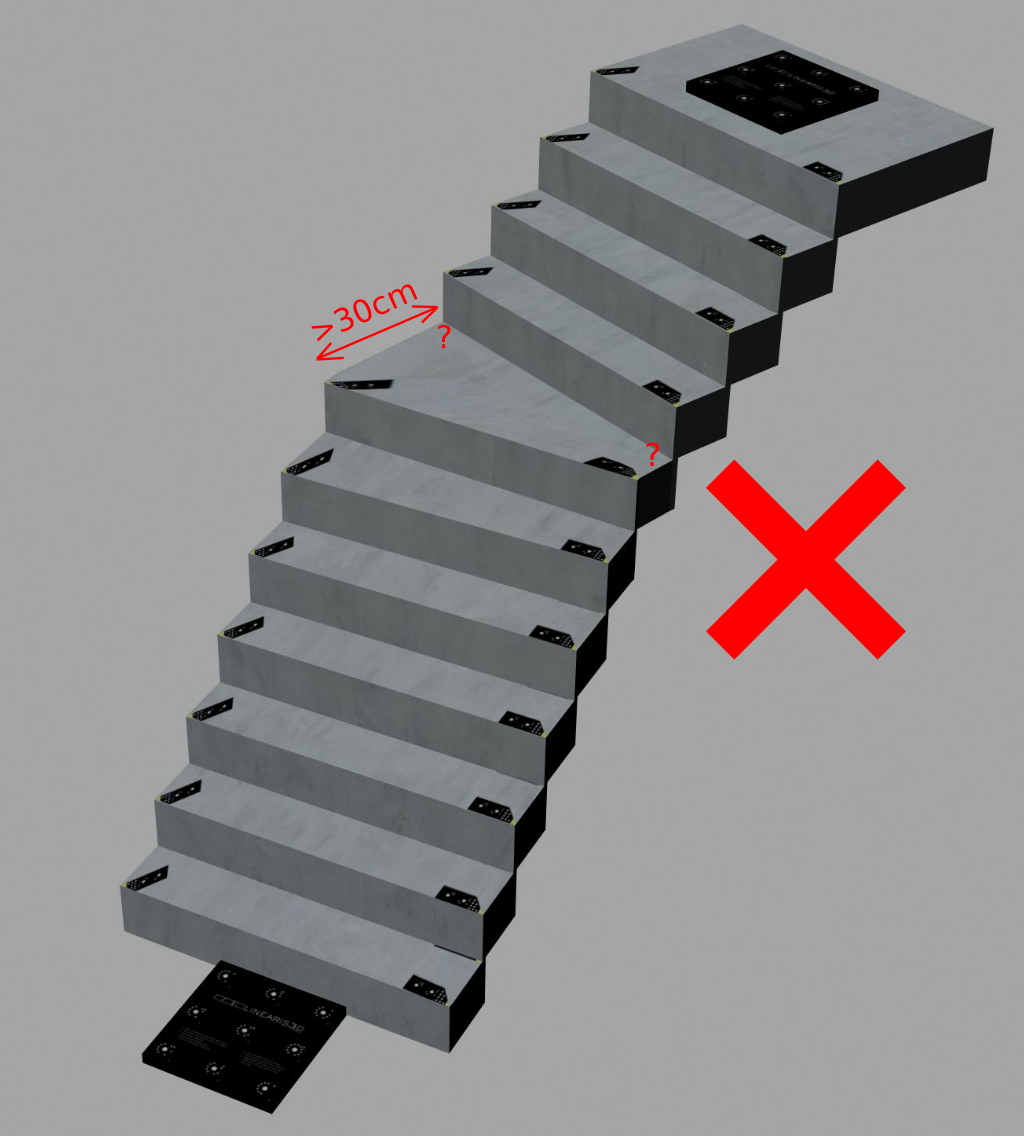 Wrong: Too long distances between the markers |
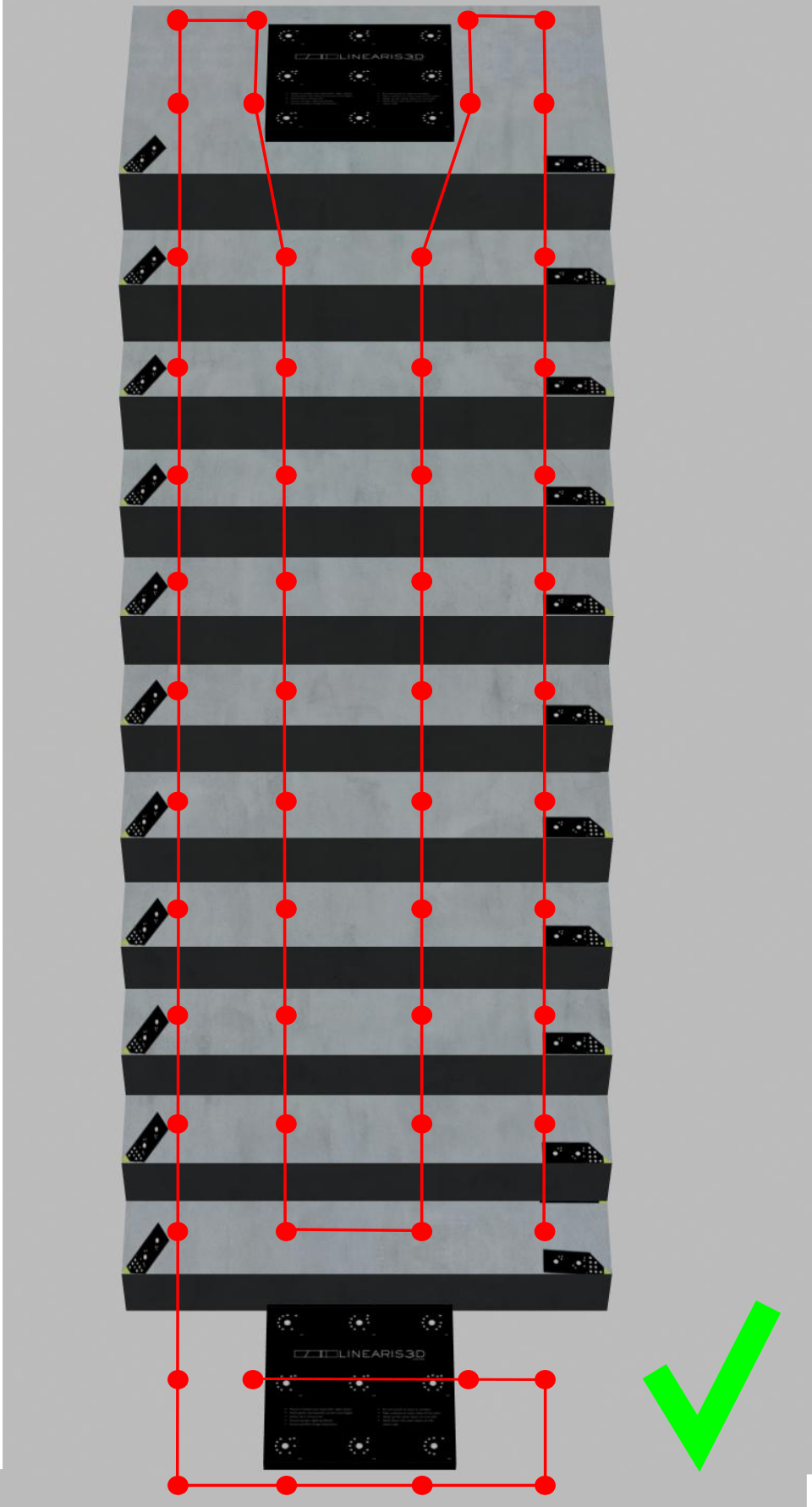 You should go upstairs and downstairs on the very left and the very right side of the stairs. so that pictures are taken from as many different angles as possible. | 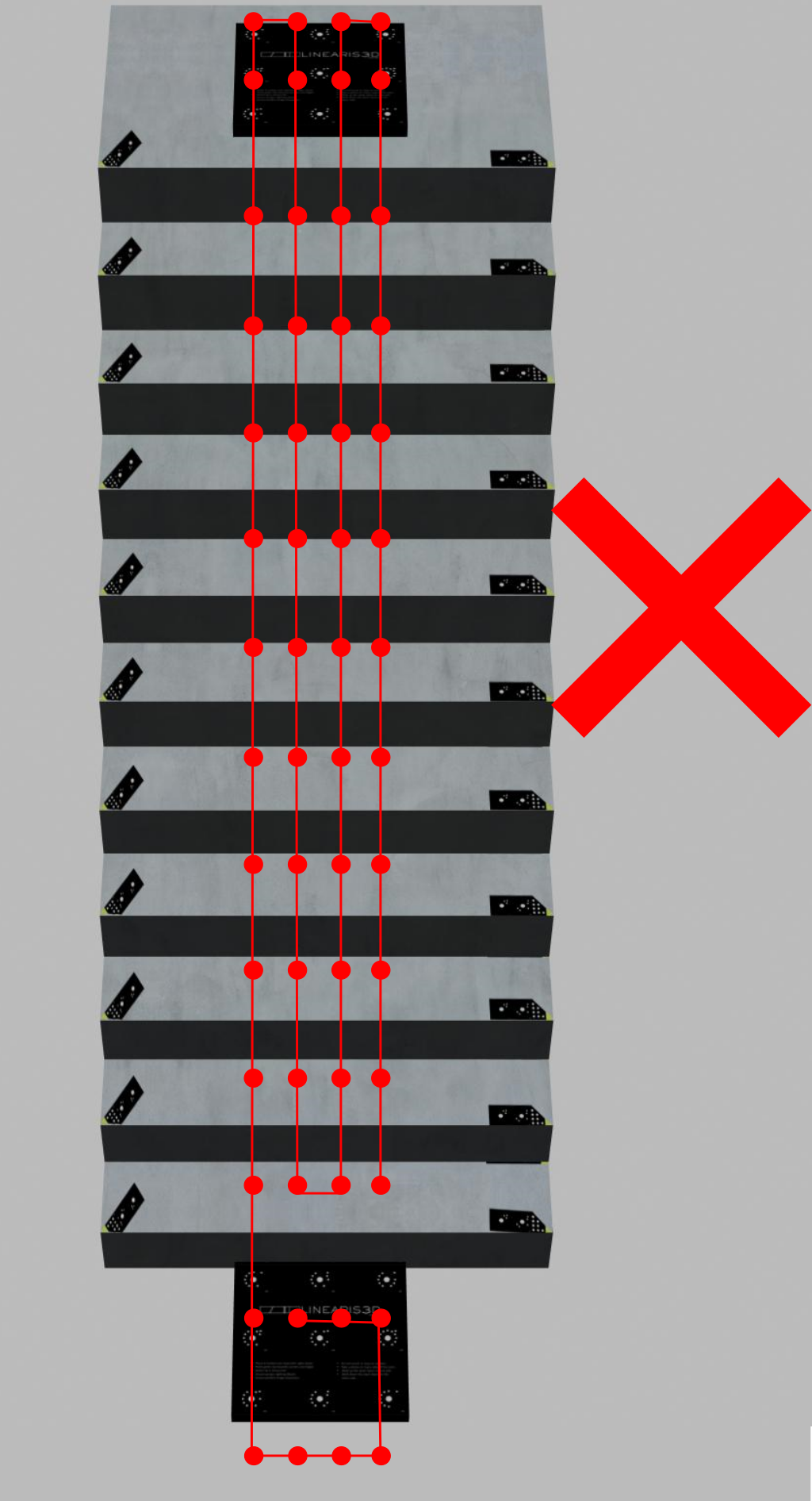 Wrong: Pictures are all taken in the middle of the stairs. Too few images. No potrait photos. Unsystematic photographing. |
The accuracy is influenced by the condition of your device's camera, the condition of the targets and the way the photos are taken. All these factors cannot be controlled by Linearis3D. Linearis3D does not accept any responsibility for the accuracy or feasibility of a measurement. The user must take appropriate measures to make sure that the results meet the user's requirements. Always check your measurment with an independent secondary measurement device, e.g. a laser distance measurement tool.
We will advise you on the equipment that suits your projects — and send you a demo kit on request.

 Deutsch